
Go to the marketplace and search for the app (or use this link). Once you open the page dedicated to our Ticket Timeline Viewer, select the plan that is most beneficial to you.
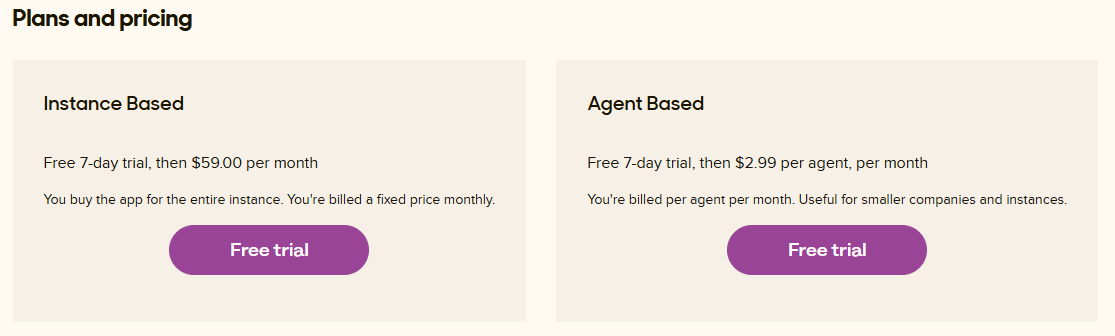
Two different plans are available.
For smaller organisations or if only a limited of group of agents need acces, you will be best off with the agent-based plan. For larger companies or if you have more than 19 agents that need access, you will be better off with the instance-based billing. but always check for the correct pricing on the marketplace.
Next, you will be prompted to fill out your domain.
Once filled out, you click on the install button and now you will be prompted to fill out the banking details.
The App gets loaded and will be listed in your Admin Center under the Zendesk support Apps
Check if the App is activated by clicking on the cogwheel.
By clicking on change the settings, you can enable/disable role or group restrictions.
By now the App has been installed and can be used by the agents.